
Autonomous AI agent frameworks like OpenClaw have generated substantial excitement among developers who want to run terminal-based agentic workflows. However, many business teams quickly run into infrastructure roadblocks, complex terminal setups, security management burdens, and lack of persistent cross-channel memory when attempting to deploy developer-centric tools across non-technical departments.
If your organization needs reliable AI execution without managing local Docker containers, terminal commands, or custom server setups, several dedicated platforms offer specialized alternatives. This guide evaluates seven active OpenClaw alternatives in 2026 across deployment models, team collaboration capabilities, channel integrations, pricing, and operational trade-offs.
TL;DR: Non-technical business teams seeking persistent, fully managed AI colleagues should choose Spinnable for instant 60-second onboarding across email, WhatsApp, and Slack, with 50+ tool integrations including Microsoft Teams. Cross-functional teams wanting visual project workspaces with embedded AI agents will prefer Taskade. Engineering organizations building custom tool infrastructure should look at Composio or Dify, while developers desiring privacy-focused local model control will find Open WebUI or Hermes Agent to be the strongest open-source fits.
OpenClaw alternatives at a glance
| Platform | Best fit | Product model | Setup burden | Memory | Collaboration | Channels / integrations | Deployment / ownership | Public verified pricing | Key trade-off |
|---|---|---|---|---|---|---|---|---|---|
| Spinnable | Non-technical business teams & operations | Managed role-based AI workforce | Zero technical setup; 60-second role onboarding | Persistent cross-session organizational memory | Multi-channel human-in-the-loop collaboration | Email, WhatsApp, Slack, and 50+ tool integrations (including Microsoft Teams) | Managed cloud; SOC 2 Type II in progress & GDPR compliance | $50/month per AI worker with 15-day free trial | Focused on business operations rather than custom code generation |
| Taskade | Cross-functional team task management | Hosted visual workspace with embedded agents | Low; template-based web setup | Workspace and project-level document memory | Real-time workspace collaboration & project boards | Web, mobile, desktop, Zapier, Make, webhooks | Hosted SaaS platform | Free tier; Pro plans from $8/user/month (annual) | Agents operate within Taskade workspace boundaries |
| Composio | Software engineers building custom agents | Managed tool authentication & MCP gateway | Moderate; SDK and API configuration required | Session state & authentication token persistence | Developer workspace & API key governance | 1,000+ app connectors, MCP protocol, REST APIs | Managed cloud or dedicated enterprise deployment | Free tier; Developer plan at $29/month | Requires developer code to assemble full agent personas |
| Lindy | Operations teams automating SaaS workflows | No-code AI assistant & workflow builder | Low to moderate; prompt and trigger setup | Cross-step workflow execution state retention | Shared team workspaces & trigger management | Email, Slack, Google Workspace, CRM connectors | Hosted cloud SaaS | Free trial; Pro plan starts at $49.99/month | Credit-based consumption can scale up with high message volume |
| Dify | Technical teams needing visual LLM orchestration | Open-source visual LLM application builder | Moderate to high for self-hosting; low for cloud | Session memory, vector RAG, and state variables | Multi-tenant workspace & app publishing | REST APIs, web widgets, WhatsApp/Slack connectors | Self-hosted (Docker/K8s) or Dify Cloud | Open-source free; Cloud Pro starts at $59/month | Requires workflow logic configuration rather than natural language setup |
| Open WebUI | Security-focused teams wanting private AI chat | Self-hosted local AI interface & model runner | Moderate to high; local Docker container deployment | Local database history, document RAG, system prompts | Multi-user role management & shared prompt libraries | Web interface, OpenAPI backend, local RAG pipelines | 100% self-hosted on private hardware or cloud | 100% free open-source (MIT license) | Requires dedicated infrastructure maintenance and server hardware |
| Hermes Agent | AI researchers & CLI power users | Open-source autonomous terminal agent framework | High; Python, API keys, and terminal sandbox setup | Execution logs & context window management | Code repository collaboration | Terminal/CLI, Python SDK, local shell commands | Self-hosted local or server environment | 100% free open-source framework | Requires developer skills; lacks graphical UI or business channels |
Detailed evaluation of top OpenClaw alternatives
1. Spinnable

Description: Spinnable delivers managed role-based AI digital colleagues designed specifically for business execution. Unlike raw developer frameworks that require command-line prompts and ongoing server maintenance, Spinnable operates as a turnkey digital workforce. Each worker is onboarded in under 60 seconds with a plain-language job description and integrates directly into your team's existing communication channels.
Best fit: Business leaders, operations managers, and non-technical teams who need autonomous operational execution without managing code, APIs, or cloud infrastructure.
Capabilities: Persistent role memory across conversations, proactive follow-ups, multi-channel communication across email, WhatsApp, and Slack, with 50+ tool integrations including Microsoft Teams, and automated task execution across connected business applications.
Pros:
- Zero technical setup or developer maintenance required.
- Native support for everyday channels where business teams already communicate.
- Persistent organizational memory that preserves context across weeks of operational work.
- Enterprise security posture supporting GDPR compliance with SOC 2 Type II in progress.
Cons:
- Not designed for terminal script execution or local system administration.
- Pre-built role orientation rather than raw code customization.
Verified pricing: Simple flat pricing of $50/month per AI worker, supported by a 15-day free trial. Full details can be reviewed in our AI worker pricing guide.
Non-fit cases: Software engineering teams looking for terminal-based local code execution or developers building custom LLM agent frameworks from scratch. For a direct architectural comparison, see our detailed guide on Spinnable vs. OpenClaw.
2. Taskade
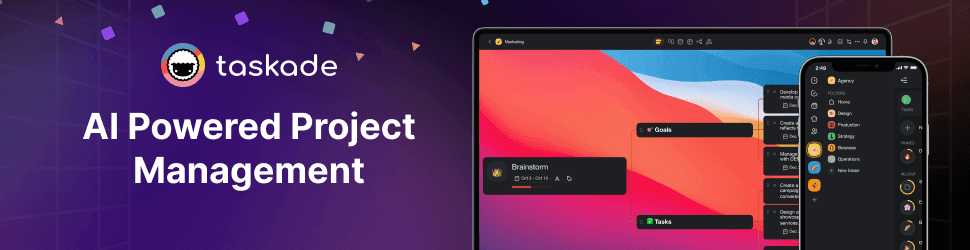
Description: Taskade combines structured project management, mind mapping, and task tracking with embedded AI agents. Its platform allows teams to build custom agent workflows that interact directly with project boards, documents, and team chat threads.
Best fit: Cross-functional project teams looking for visual task management paired with AI assistance inside a unified workspace environment.
Capabilities: Multi-agent coordination, visual workflow automation, template libraries, real-time document collaboration, and project management integrations.
Pros:
- User-friendly visual interface suitable for non-technical team members.
- Unified project boards, docs, and AI chat in a single platform.
- Extensive pre-built template ecosystem for various business departments.
Cons:
- Agent actions are primarily constrained within Taskade workspace boundaries.
- Limited native support for external channels like WhatsApp or direct SMS.
Verified pricing: Free plan available with basic features. Paid plans start at $8 per user per month billed annually (or $10 month-to-month).
Non-fit cases: Organizations needing standalone autonomous background workers that operate primarily inside Slack, Microsoft Teams, or custom email workflows.
3. Composio

Description: Composio focuses on solving the tooling and authentication challenge for AI agent developers. Rather than offering a end-user chat app, Composio acts as an integration gateway and Model Context Protocol (MCP) provider that connects agent frameworks to over 1,000 SaaS application APIs.
Best fit: Software developers and AI engineering teams building custom agent applications who need reliable auth management and tool integrations.
Capabilities: Managed OAuth and API key authentication, 1,000+ app connectors, MCP gateway support, detailed execution logging, and access control governance.
Pros:
- Eliminates the complexity of building custom OAuth flows for agent tool use.
- Compatible with major agent frameworks and custom LLM codebases.
- Robust audit logging and rate-limiting controls.
Cons:
- Requires developer expertise to build and deploy complete end-user applications.
- No native graphical end-user interface for non-technical business employees.
Verified pricing: Free tier includes initial tool execution credits. Developer plan starts at $29/month, with custom enterprise pricing for high-volume requirements.
Non-fit cases: Non-technical business teams seeking out-of-the-box digital colleagues without custom software development.
4. Lindy
Description: Lindy is a no-code AI assistant platform designed to automate repetitive administrative and operational workflows. Users can configure multi-step actions triggered by events in email, calendars, CRMs, or messaging tools.
Best fit: Operations leads and business professionals who want to build custom event-triggered AI automations without writing code.
Capabilities: Visual automation builder, email triage, meeting summaries, CRM updates, and multi-app event triggers.
Pros:
- No coding required to build multi-step automated workflows.
- Strong integration support for common SaaS tools like Google Workspace and Slack.
- Flexible trigger-action architecture for event-driven tasks.
Cons:
- Credit-based pricing structure can become costly with high automation frequency.
- Requires manual configuration of triggers and step logic for each workflow.
Verified pricing: Free trial available. Pro plan starts at $49.99 per month for expanded credit allowances and integrations.
Non-fit cases: Developers seeking open-source terminal execution control or enterprises requiring fully autonomous persistent workers that operate without pre-configured event trees. Learn more in our Lindy alternatives guide.
5. Dify
Description: Dify is an open-source development platform for building LLM applications and agentic workflows. It combines a visual workflow orchestrator, prompt management, RAG pipeline tools, and model operational features in one system.
Best fit: Technical teams and product engineers who want a visual application builder with full self-hosting freedom.
Capabilities: Visual workflow DAG builder, multi-model LLM management, vector database integration, prompt engineering sandbox, and REST API output.
Pros:
- Open-source core (Apache 2.0 license) allows complete self-hosting control.
- Comprehensive visual canvas for building complex multi-step reasoning flows.
- Built-in RAG tooling and model monitoring capabilities.
Cons:
- Requires setup and hosting infrastructure management for self-hosted instances.
- Focuses on building apps rather than providing ready-to-work digital teammates.
Verified pricing: Open-source self-hosted edition is free. Dify Cloud offers a free Sandbox tier, with Professional plans starting at $59/month.
Non-fit cases: Non-technical business teams who want to delegate tasks via simple conversation without designing underlying workflow diagrams.
6. Open WebUI
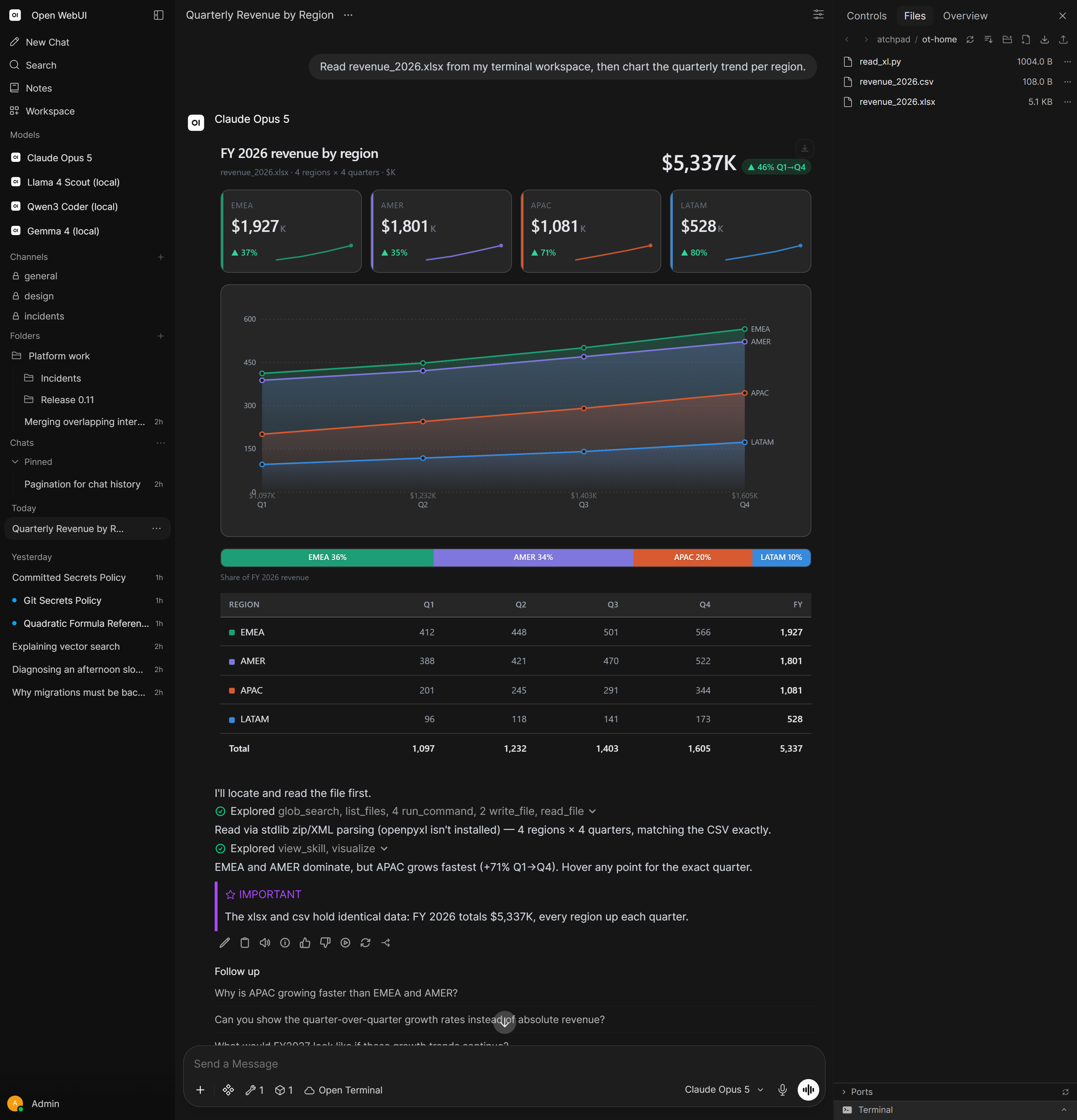
Description: Open WebUI is a self-hosted, privacy-first user interface for local and cloud LLMs. Designed to run seamlessly with Ollama, vLLM, or OpenAI-compatible APIs, it provides a feature-packed chat environment with built-in RAG, web search, and tool execution capabilities.
Best fit: Privacy-conscious organizations and technical power users who require 100% local model control and private document analysis.
Capabilities: Multi-model chat interface, local vector RAG document ingestion, web search integration, role-based access control, and customizable prompt libraries.
Pros:
- 100% self-hosted open-source software ensuring complete data privacy.
- Slick user interface modeled after modern chat applications.
- Excellent multi-user access control and team organization features.
Cons:
- Requires self-managed server hardware, GPU infrastructure, or container deployment.
- Lacks proactive background execution capabilities across external messaging channels.
Verified pricing: 100% free and open-source under the MIT license.
Non-fit cases: Business teams seeking a managed SaaS solution that handles server setup, model hosting, and cross-channel background execution automatically.
7. Hermes Agent

Description: Hermes Agent, developed by Nous Research, is an open-source autonomous agent framework optimized for terminal execution, advanced function calling, and local code interaction. It represents a direct open-source developer alternative to terminal-based agent runners like OpenClaw.
Best fit: AI researchers, prompt engineers, and terminal power users building custom autonomous agents on open-weights model architectures.
Capabilities: Terminal-based function calling, local shell execution, customizable tool definitions, and open-weights model fine-tuning compatibility.
Pros:
- 100% open-source framework with deep community research backing.
- Optimized specifically for structured function calling and tool execution.
- Full local execution control without third-party vendor lock-in.
Cons:
- Terminal-only interface requiring technical command-line fluency.
- No graphical user interface or out-of-the-box business channel integrations.
Verified pricing: 100% free open-source framework.
Non-fit cases: Commercial business teams, operations managers, or non-technical employees requiring a graphical web interface or managed SaaS service.
Evaluation methodology and verification date
All alternatives featured in this guide were evaluated and verified on September 2, 2026. Evaluation criteria focused on primary deployment models, setup burden for non-technical users vs. developers, cross-session memory architecture, multi-channel team collaboration, public pricing transparency, and operational trade-offs. Information was collected directly from official first-party vendor websites, product documentation, official GitHub repositories, and direct testing environments.
To understand the core features and target audience of the OpenClaw architecture itself, read our updated analysis in the OpenClaw 2.0 review.
Frequently asked questions
What is the main difference between OpenClaw and managed AI worker platforms?
OpenClaw is an open-source developer framework designed for running local terminal agents and custom tool scripts. Managed AI worker platforms like Spinnable provide pre-configured digital colleagues that require zero technical setup, operate continuously in business channels like email, Slack, and WhatsApp, and handle background execution without ongoing server maintenance.
Is OpenClaw free to use?
Yes, OpenClaw itself is an open-source project. However, running OpenClaw effectively requires self-hosted infrastructure, local GPU resources or external LLM API keys, and ongoing technical maintenance to handle security sandboxing and channel connectors.
Which OpenClaw alternative is best for non-technical business teams?
Spinnable is the top recommendation for non-technical business teams. It requires zero coding or terminal management, onboards new AI workers in under 60 seconds using natural language job descriptions, and operates directly inside existing tools like email, WhatsApp, and Slack, with 50+ tool integrations including Microsoft Teams.
Can self-hosted alternatives like Open WebUI replace OpenClaw?
Open WebUI is an excellent self-hosted alternative if your primary goal is private document chat and local model interaction through a polished web interface. However, if you need proactive background task execution across external messaging apps, a managed workforce platform like Spinnable or a workflow builder like Lindy is better suited.
How does Spinnable compare directly to OpenClaw?
While OpenClaw targets developers building terminal scripts and local agents, Spinnable targets business teams needing managed, role-based AI colleagues. For a full architectural comparison of security, channels, and operational costs, see our detailed guide on Spinnable vs. OpenClaw.
Ready to deploy persistent AI digital colleagues for your team?
Stop struggling with local container setups and terminal commands. Explore how Spinnable can help your business deploy role-based AI teammates in 60 seconds.